Convert PNG to JPG with predictable transparency and quality
Create a broadly compatible JPG from one PNG without changing its pixel dimensions. Know exactly what happens to transparency, quality, metadata, and local processing before you convert.
Convert one PNG now
The converter accepts one PNG up to 50 MiB and produces a JPG in your browser.
Open PNG to JPGPNG-to-JPG workflow
These screenshots show the actual Converttwo interface for this workflow.
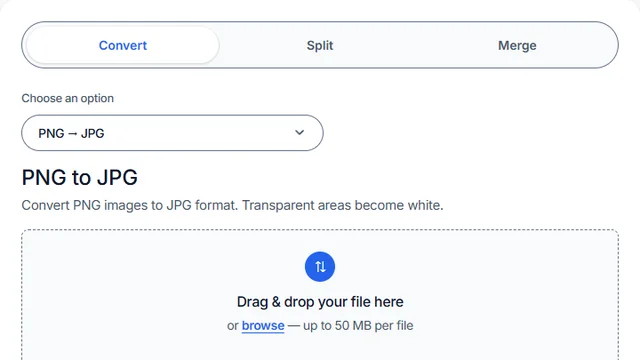
Open PNG to JPG
Open PNG to JPG in the converter.
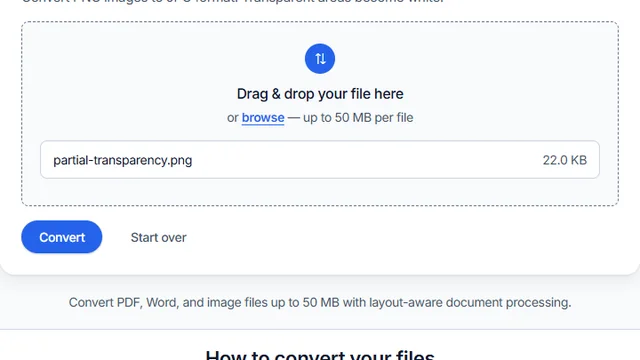
Select one PNG
Select one PNG file and confirm it is no larger than 50 MiB.
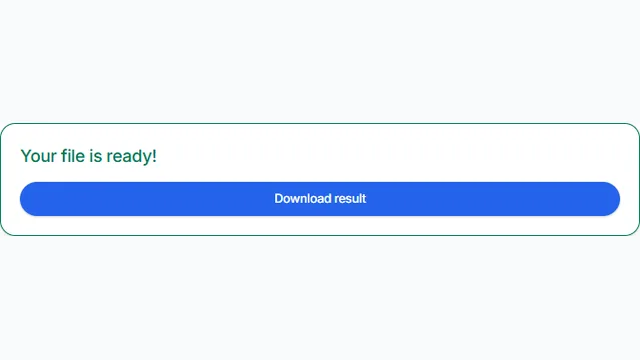
Convert, download, and inspect
Convert, download the JPG, and inspect transparent areas and fine detail.
Implementation details you can verify
This tool accepts exactly one PNG. It rejects a file over 50 MiB, an image whose width or height exceeds 16,384 pixels, or an image with more than 40,000,000 decoded pixels. Compressed file size is not the same as decoded size: a compact PNG can still expand to a large canvas.
The browser decodes the PNG, creates a canvas at the same width and height, fills it white, and draws the source over that background. It then encodes the canvas as JPEG with quality set to 0.92. These are implementation facts, not claims that every source will look identical after conversion.
Tested September 14, 2026 in Chrome
Transparent PNG corner flattened to white in the tested JPG
Using the live repository converter code, we selected /images/JustLogo.png, converted and downloaded it, then inspected both files for byte size, decoded dimensions, and corner RGBA values.


Compare the expanded four-content test, including a photo, small-text screenshot, flat graphic, and partially transparent PNG.
When PNG to JPG is a good fit
Use this tool when you need a JPG and can accept lossy encoding and a white background. If you are choosing a format, the JPG-versus-PNG guide compares photographs, text, and graphics with measured examples.
Cases where this tool is unsuitable
Keep PNG for logos, interface screenshots, pixel art, diagrams, small text, or any asset that must retain transparency. Do not use this conversion as an archival master, for repeated editing, or where exact decoded pixels are required: JPEG is lossy. If transparent pixels must become a color other than white, add that background in an editor first.
Quality, dimensions, and metadata
The output keeps the source pixel width and height. It does not resize, sharpen, increase resolution, or create missing detail. JPEG quality 0.92 balances visual fidelity and file size, but fine text and hard edges can still show ringing or block artifacts.
PNG alpha cannot exist in JPG. Fully and partly transparent areas are composited onto white. Source metadata is not explicitly copied, so do not rely on EXIF, color-profile, location, copyright, or other ancillary information surviving. Inspect color and required metadata in the downloaded file before using it in a managed workflow.
Browser processing and third-party assets
Image decoding and conversion happen in your browser; the selected PNG is not posted to the document-conversion API. However, the page loads third-party assets such as hosted fonts and may load other third-party page resources. Browser processing therefore does not mean the page is fully offline or makes no network requests. For sensitive material, review the Privacy Policy and your browser's network policy.
Troubleshooting
The transparent logo disappeared
White artwork can blend into the white background used during alpha flattening. Preview the PNG against white or add a deliberate contrasting background before converting.
The file passes 50 MiB but is rejected
Check decoded dimensions. Neither side may exceed 16,384 pixels, and width multiplied by height must not exceed 40,000,000 pixels. Resize or crop an oversized source first.
Small text looks softer
That is a possible consequence of JPEG's lossy encoding. Retain the PNG for text-heavy graphics, or compare the output at 100% zoom before publishing.
Need help choosing a format?
Compare transparency behavior before converting artwork, or inspect the four-content size and quality test before assuming JPG will be smaller. The tool accepts one PNG and keeps its pixel dimensions.
Ready to create the JPG?
Keep the original PNG, then inspect the downloaded JPG for white transparency flattening and edge quality.
Convert PNG to JPG